

Introduction
Your Kubernetes bill tripled last quarter, but your traffic stayed the same. Your team didn’t launch any big new features either. The cluster simply kept growing in the background, and no one noticed.
This story is common in cloud native application development. Teams move to Kubernetes for speed and flexibility, and then they watch their costs climb for no clear reason. The good news is that most of this extra spend is waste, not real growth, and waste is something you can fix.
In this guide, we explain where Kubernetes costs hide and share practical steps to bring them back under control.
What Is Cloud Native Application Development, and Why Do Kubernetes Costs Spiral?
Cloud native application development means building software as many small parts instead of one big program. Each part runs in its own container. Kubernetes manages those containers for you, and this job is called container orchestration.
It starts and stops containers, and it adds more copies when traffic grows. Unlike a single large server, cloud native development lets you release updates faster and scale only the parts of your app that need more power.
If you’re new to these terms, this table explains them in plain English:
| Term | Plain meaning | How it affects your bill |
| Node | A server in your cluster | You pay for every server, busy or idle |
| Pod | One running copy of your app | Each copy takes up space on a server |
| Replica | An extra copy of an app | More copies need more servers |
| Request | The CPU and memory you reserve for an app | Bigger reservations mean more servers and a bigger bill |
This flexibility is also what causes the cost problem. Anyone on your team can add app copies, servers, or storage in seconds, and no one sees the cost until the bill arrives. Because Kubernetes makes growth so easy, it also makes overspending easy.
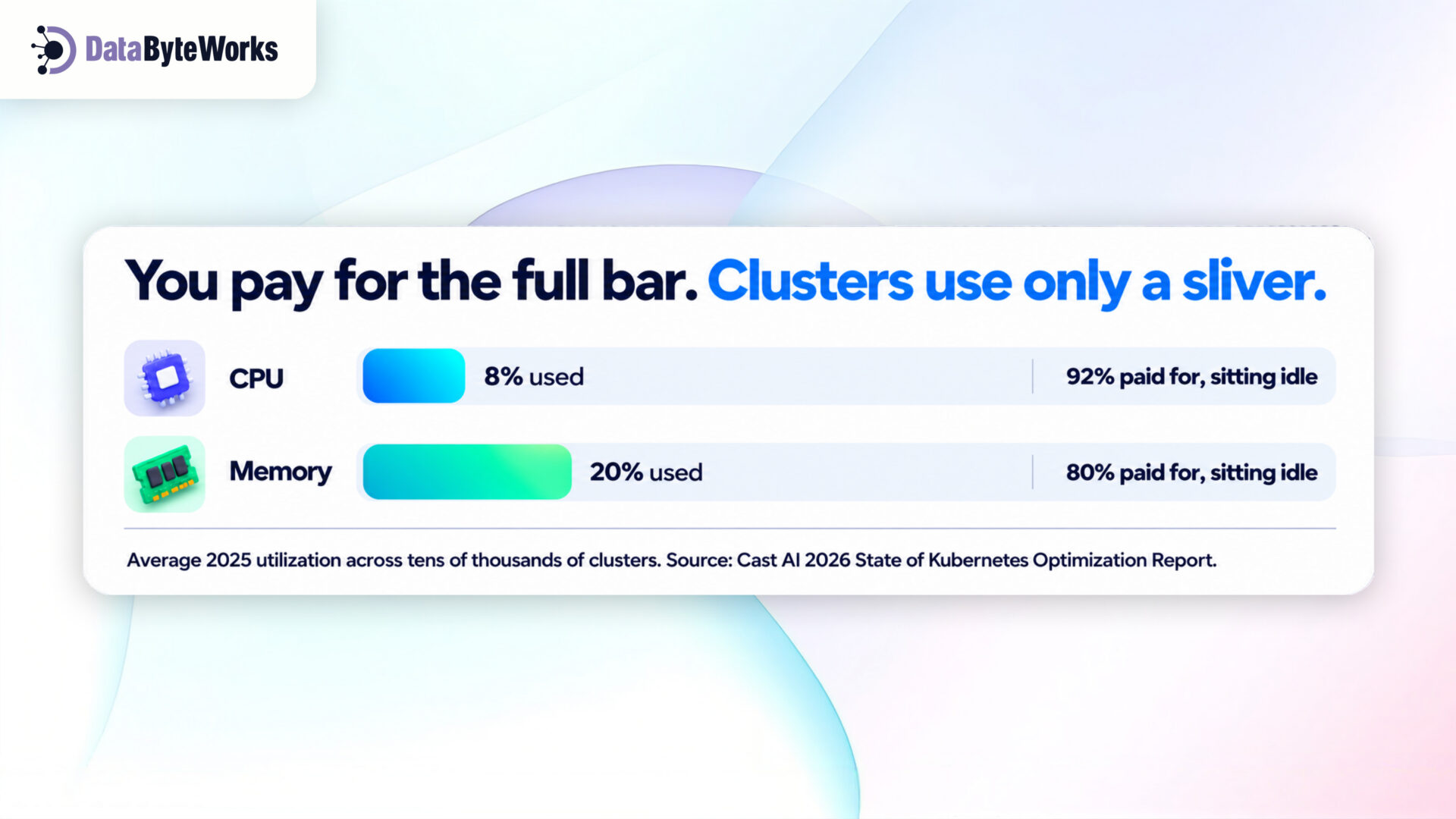
Recent data shows how big this problem is. Cast AI studied tens of thousands of clusters for its 2026 report. On average, these clusters used just 8% of the CPU and 20% of the memory they paid for in 2025.
Flexera‘s 2026 report found that companies waste of their cloud spend, and that this number is rising again.
Where Kubernetes Costs Actually Come From
Kubernetes cost optimization starts with finding where your money is leaking. The biggest leak is reserving more resources than your apps need, and this problem is getting worse. Cast AI found that CPU over-provisioning rose from 40% to 69% in just one year. The table below shows the most common leaks and how to fix them:
| Cost leak | Warning sign | Simple fix |
| Reserving too much | Apps reserve far more CPU and memory than they use | Size each app to its real usage |
| Forgotten leftovers | Old apps, unused storage, and unused load balancers still cost money | Clean up once a month, and give each area an owner |
| Traffic between zones | Network charges grow faster than your users | Keep apps that talk to each other a lot in the same zone |
| Test servers always on | Test environments run day and night at full size | Turn them off at night and on weekends to cut their running time by about 70% |
| Paying full price | Every server is billed at the standard rate | Use a mix of reserved, spot, and standard servers |
Right-Sizing Workloads: Requests, Limits, and Waste
Every app in Kubernetes has two settings:
- Request: This is the amount of CPU and memory you reserve for the app. Kubernetes uses it to decide which server the app runs on. You pay for this space even if the app never uses it.
- Limit: This is the most the app is allowed to use. If the app uses more, Kubernetes slows it down or restarts it.
Getting these numbers wrong costs you in both directions. If you set requests too high, you pay for space that sits empty. If you set them too low, your app may slow down or crash.
1. Use real data, not guesses
First, track how much CPU and memory each app actually uses over one to two weeks. A monitoring tool such as Prometheus can show you this. Next, turn on the Vertical Pod Autoscaler (VPA) in recommendation mode. It suggests better settings without changing anything in your live apps.
2. Don’t copy the same settings everywhere
Many teams copy the same settings into every app. As a result, a busy app and a small nightly job end up reserving the same amount. Instead, set each app’s resources based on its own usage.
Kubernetes Autoscaling Strategies That Actually Save Money
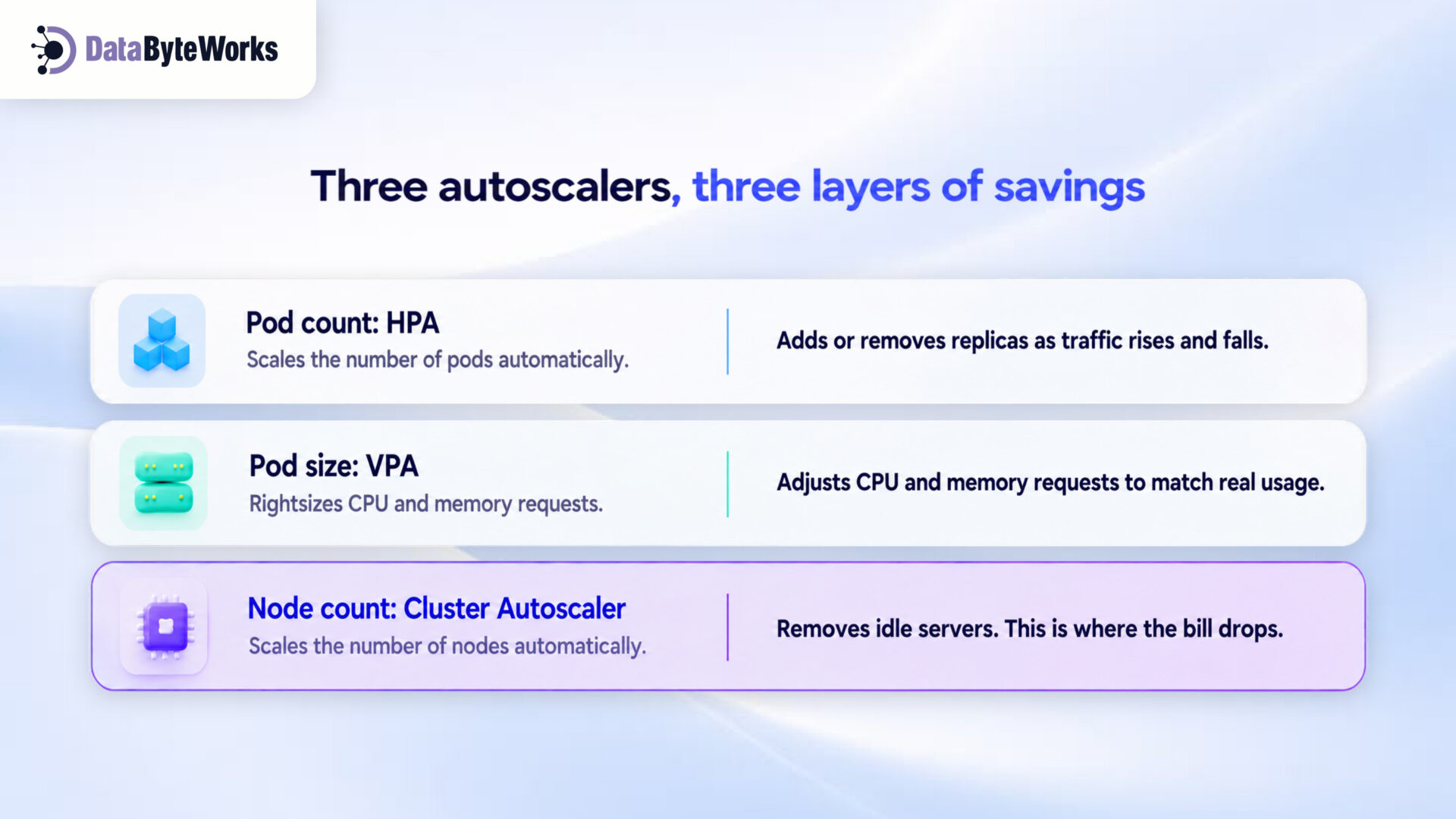
Kubernetes autoscaling automatically adds or removes resources to match demand. Kubernetes offers three autoscaling tools, and each one works at a different level:
| Tool | What it adjusts | Best for | Keep in mind |
| Horizontal Pod Autoscaler (HPA) | How many copies of an app run | Traffic that goes up and down | Don’t set the minimum at your peak level |
| Vertical Pod Autoscaler (VPA) | How much CPU and memory each copy gets | Apps whose usage changes slowly over time | Resizing can restart the app |
| Cluster Autoscaler | How many servers you run | Almost every cluster | Strict placement rules can stop servers from shutting down |
HPA and VPA adjust your apps to match demand. However, the Cluster Autoscaler is what actually lowers your bill, because it shuts down servers you no longer need. Karpenter is a faster alternative that many AWS users prefer. Without a server-level autoscaler, your apps get smaller, but you keep paying for half-empty servers.
Spot Instances, Reserved Capacity, and Storage Choices
How you pay for servers matters as much as how many you use. Cloud providers offer three main pricing options:
| Pricing option | How it works | Best for |
| Reserved | You commit to 1–3 years of use in return for a lower rate | Apps that run all the time steadily, like core APIs and databases |
| Spot | You rent the provider’s spare servers at a big discount, but the provider can take them back at short notice | Work that can restart safely, like batch jobs, test runs, and web workers |
| On-demand | You pay the standard rate with no commitment | Sudden or unpredictable traffic |
The savings can be large. AWS offers spot servers at up to 90% off the standard price, and Google Cloud and Azure offer similar discounts.
Check your storage defaults
Storage costs often grow without anyone noticing. Default settings usually pick the fastest and most expensive disks, and they keep extra backup copies. Logs, backups, and test data rarely need this. Choose cheaper standard disks when speed doesn’t matter, and delete old data on a regular schedule.
Building Cost Visibility: Monitoring and FinOps for Kubernetes
You can’t cut costs you can’t see. Your cloud bill shows the total amount, but it doesn’t show which team or app spent it.
Label every app
Add simple tags, called labels, to every app to show its team, project, and environment (such as production or testing). With labels in place, you can see exactly how much each team spends.
Use the right tools
- OpenCost (free) or Kubecost: These tools show the cost of each team, app, and label.
- Your cloud’s own cost tools: AWS Cost Explorer, Google Cloud Billing, and Azure Cost Management show spending across your whole account.
- Prometheus and Grafana: These tools let you place cost charts right next to your performance charts.
Make cost everyone’s job
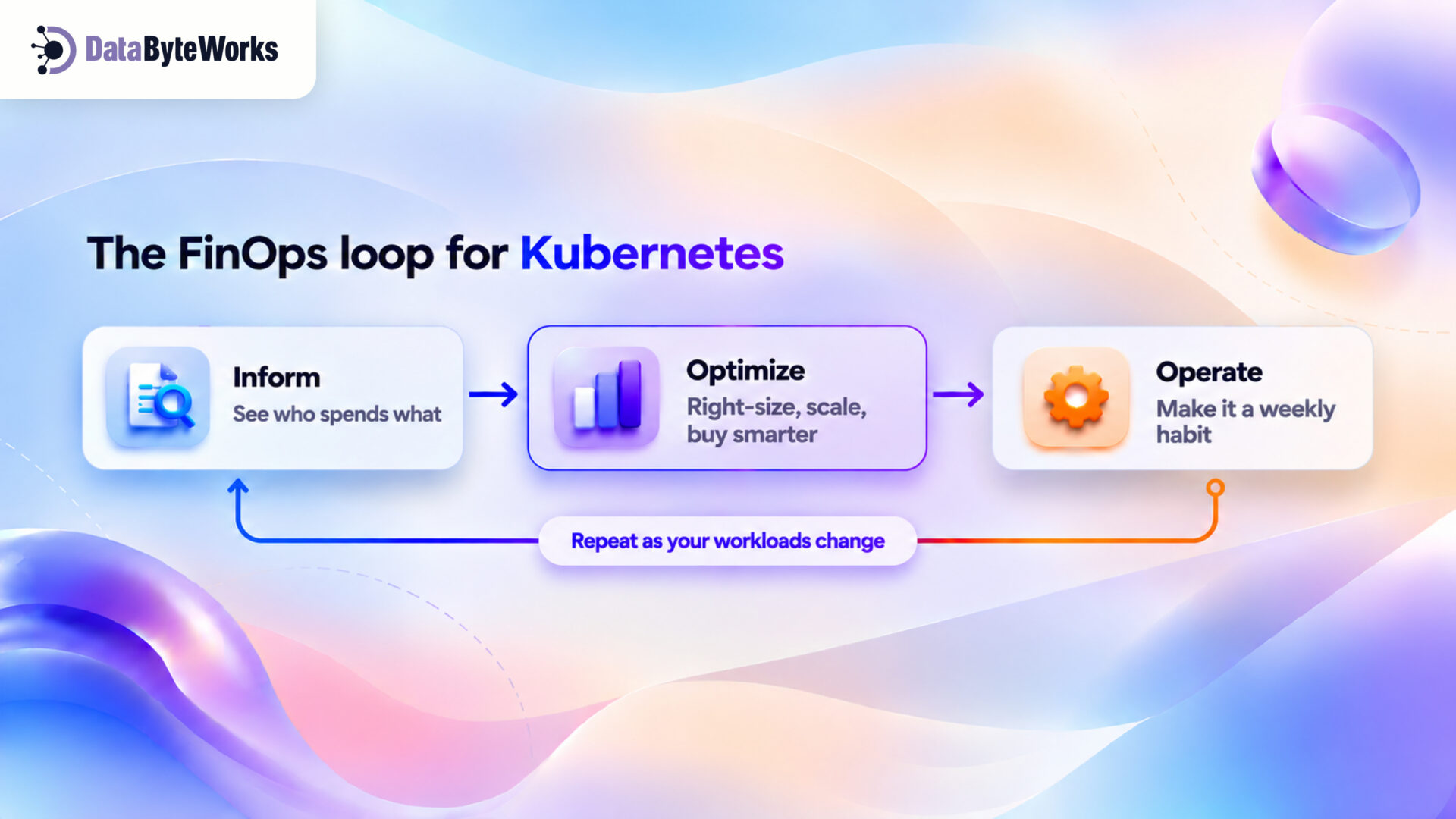
FinOps is a simple idea: engineering, finance, and product teams all track cloud costs and share responsibility for them. It turns cloud resource management into a regular weekly habit instead of a yearly panic. FinOps works as a repeating loop of three steps:
You should also track a unit cost, such as the cost per 1,000 requests or the cost per customer. If your total bill rises because you have more customers, that’s healthy growth. But if your cost per customer rises, that’s a sign of waste.
Common Mistakes That Blow Up Kubernetes Bills
Most runaway bills come from a few common habits, and some of them start with good intentions:
- Apps run without limits. Without a limit, one greedy app can take over a whole server and force new servers to start.
- Teams buy discounts too early. If you sign a one- to three-year deal for oversized servers, you lock in that waste. Resize your apps first, and then commit.
- Teams cut too far. If you trim resources too tightly, apps slow down or crash. Always leave some room for traffic spikes.
- GPU servers stay on when idle. GPUs cost much more per hour than regular servers, yet Cast AI found that clusters use only 5% of their GPU capacity on average. Set GPU servers to shut down when no jobs are running.
- Autoscaling is set once and then forgotten. Traffic patterns change over time, so review your autoscaling settings every quarter.
Your 30-Day Kubernetes Cost Cleanup Plan
You don’t need a big project to start saving. Follow this four-week plan, which tackles the easiest and safest fixes first:
| Week | Goal | What to do |
| 1 | See | Add labels, install OpenCost, and find the five areas that cost the most |
| 2 | Clean | Delete unused storage and load balancers, and turn test servers off at night |
| 3 | Resize | Apply VPA’s suggestions to your five most expensive apps |
| 4 | Save | Adjust autoscaling, move jobs that can safely restart to spot servers, and then reserve capacity for your new, smaller baseline |
At the end of the month, compare your cost per customer (or per 1,000 requests) with your week-one number. This comparison shows you which changes worked.
When Cloud Native Development Services Make Sense
Some teams can fix costs on their own, while others keep getting stuck. The following signs suggest it may be time to get outside help:
- No one owns the Kubernetes bill. As a result, new features always take priority over cost work.
- Your team builds great features but lacks deep Kubernetes skills. Building cost-efficient infrastructure needs a different set of skills.
- Savings don’t last. You cut the bill, but it slowly climbs back up.
Good cloud native development services bring experience in both Kubernetes and cost control. They fix the root causes, such as poor sizing, scaling, and ownership, instead of just lowering this month’s bill.
How We Approach Cloud Native App Development
At DataByteWorks, we treat cost as a design requirement from day one, not a cleanup job later. Every cloud native app development project we deliver includes:
- App sizes based on load tests and real usage
- All three autoscalers set up to work together
- A smart mix of reserved, spot, and on-demand servers
- Labels and dashboards so every team sees its own costs
This approach runs through all our custom software development services, so your software scales without surprise bills.
Book your Kubernetes cost review
Share your cluster setup, and our engineers will show you where your money goes and which changes will save the most. Book a free Kubernetes cost review today.