Case Studies
Industry
Fintech: fraud detection and risk management
Engagement
Dedicated team · 24 months
Compliance
PCI DSS, GDPR
CLIENT
Fleet management and fraud prevention software provider with over 27 years of experience. Its machine learning solutions protect payment experiences for over 3 million multi-channel retailers, more than 100 banks, and over 300 million payment cards worldwide (name withheld under NDA)
Fintech: fraud detection and risk management
Global, with banks and retailers across multiple countries
Legacy modernization, .NET migration, cloud database migration
Dedicated team · 24 months
.NET 6, ASP.NET Core MVC, C#, REST APIs, SQL Server 2019, Azure SQL Database
PCI DSS, GDPR
The client’s platform helps banks, card issuers and retailers spot and stop payment fraud. After more than 20 years in service, it was holding the business back.
Security risk: it ran on .NET Framework 4.6, which was out of support and exposed to ongoing security vulnerabilities. For a platform bound by PCI DSS and GDPR, that risk kept growing.
One user at a time: some modules ran as a desktop app that supported only a single user session at a time.
Rising volumes: digital payments were growing worldwide, and the system struggled to keep up, with limited real-time decisioning and analytics.
An aging database: SQL Server 2008 lacked modern performance and security features. Read replicas for real-time analytics weren't possible without moving to a modern database.
Hard to upgrade dependencies across more than 40 class libraries made any upgrade complex.
We didn’t rebuild the platform from scratch. Through our legacy modernization services, we modernized the code and data the client already relied on, so its fraud logic carried over intact.
Key decision: one project at a time. We used the Strangler Fig pattern, replacing the legacy system piece by piece over 24 months instead of in one big switch. The platform screens payments for banks and retailers, so it had to keep running throughout. Each migrated part was proven in use before the next one moved.
.NET Framework 4.6
.NET 6
Database modernization in two steps. We upgraded SQL Server 2008 to SQL Server 2019, then migrated to Azure SQL. That brought elastic scaling, automated high availability, read replicas for real-time analytics and reporting, and Azure’s built-in security monitoring.
SQL Server 2008
SQL Server 2019
Azure SQL
100 users
10,000
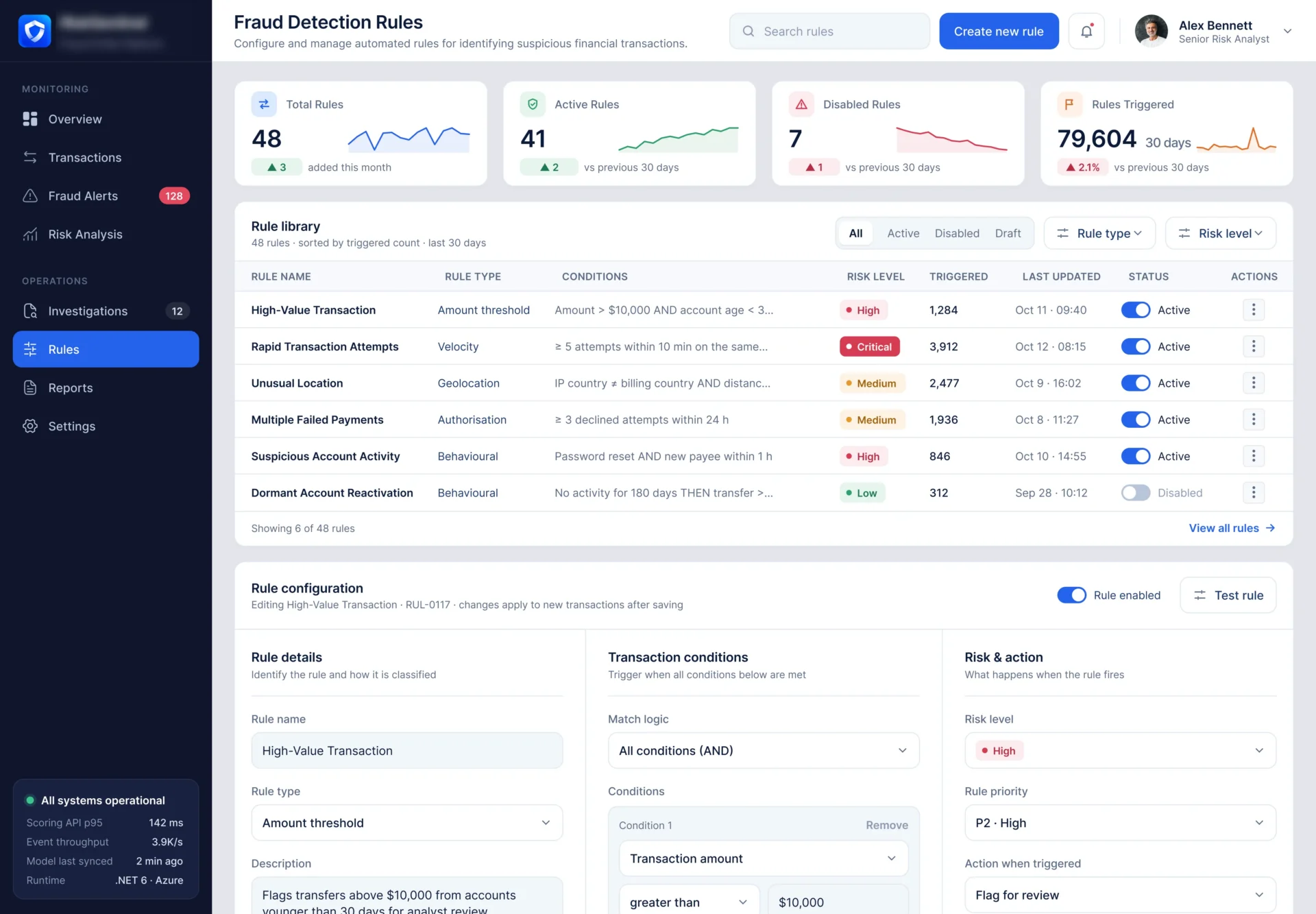
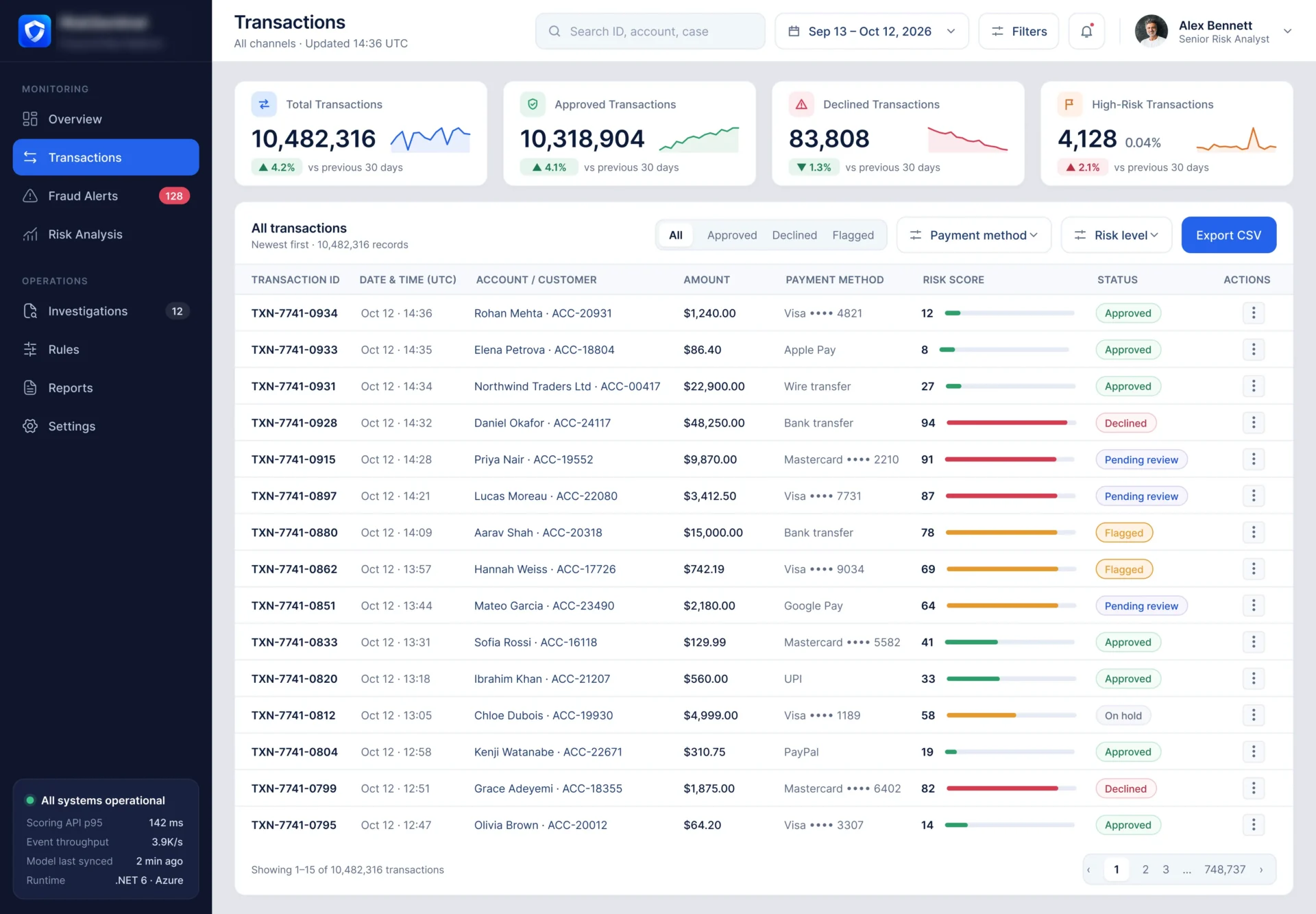
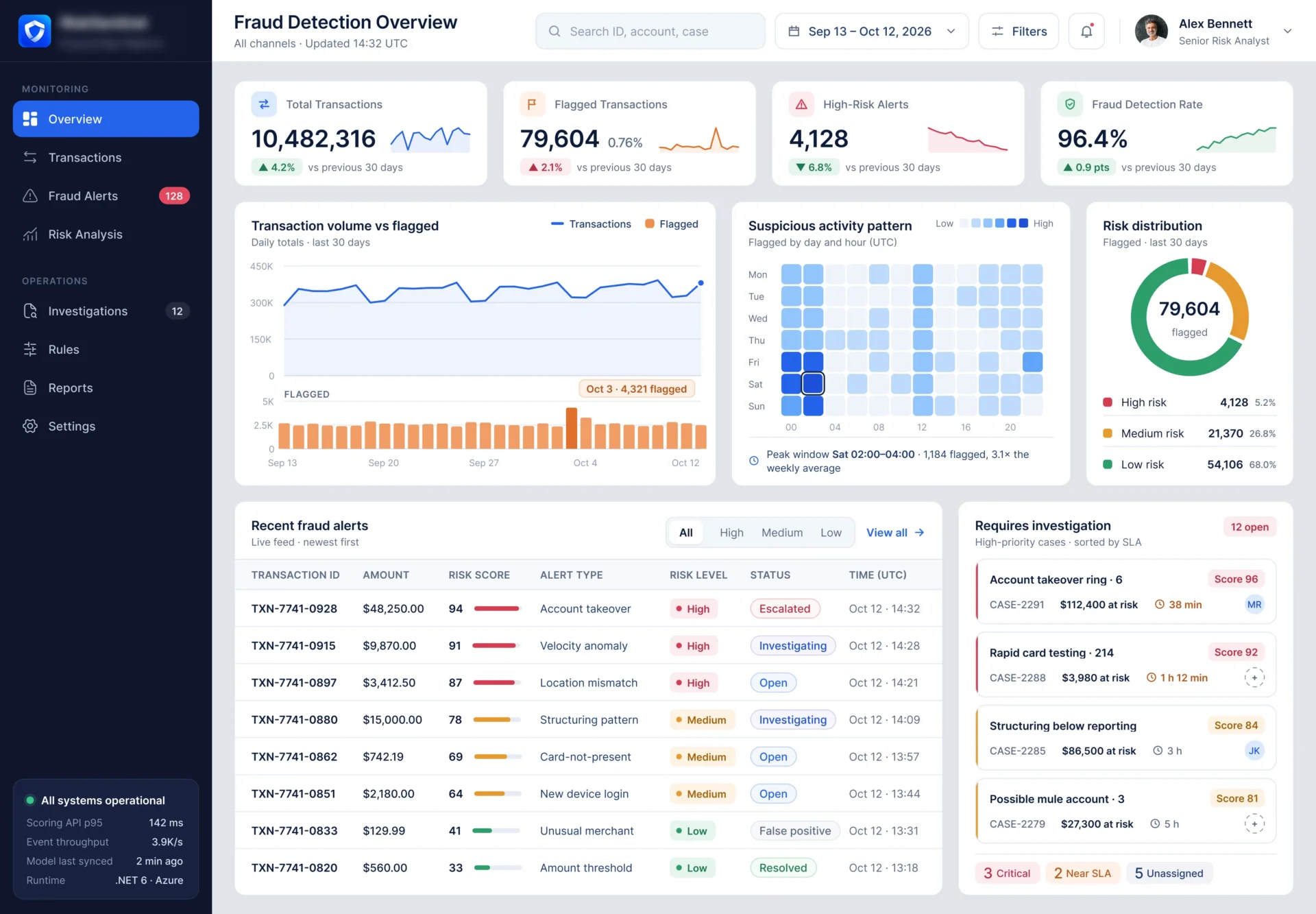
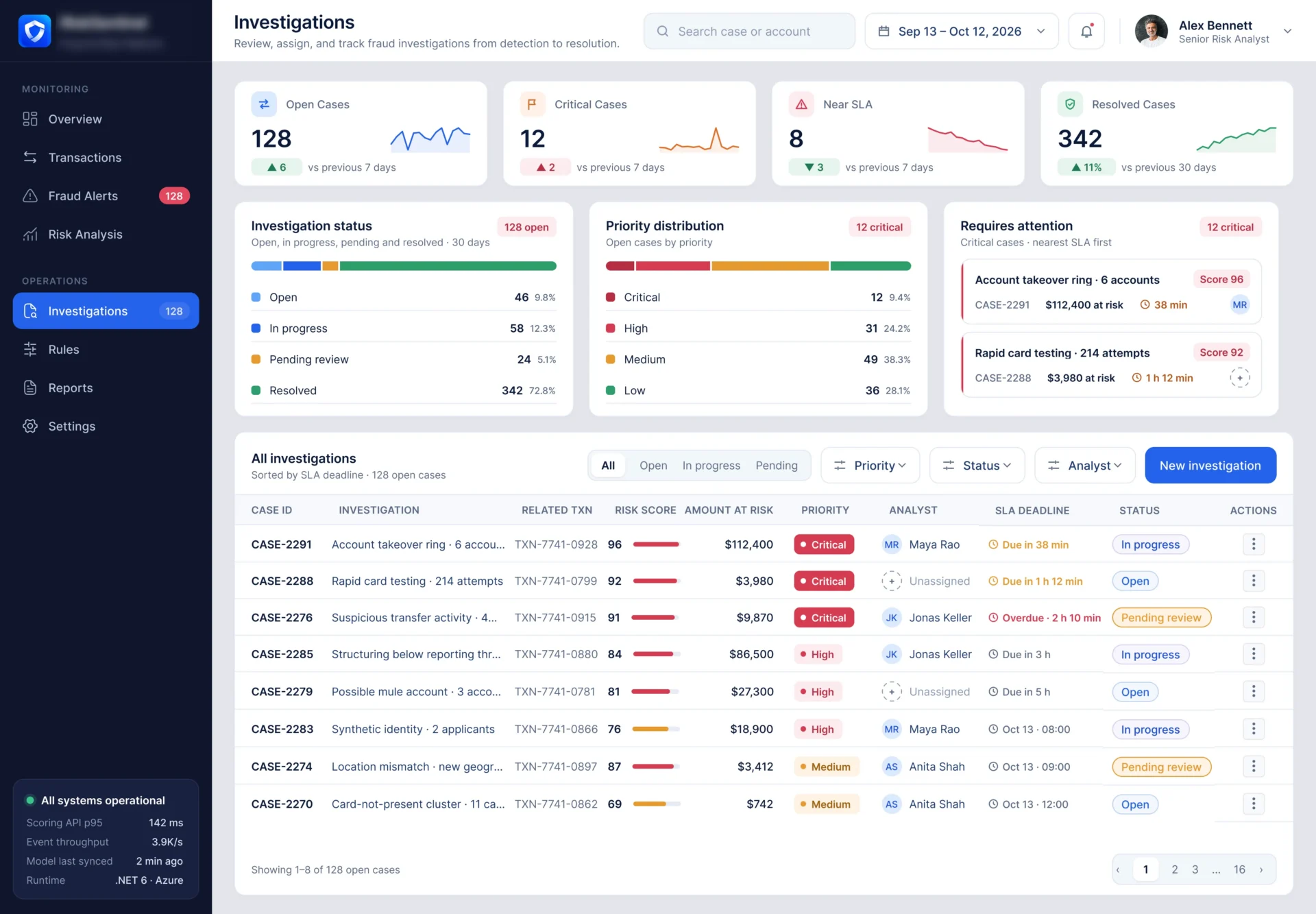
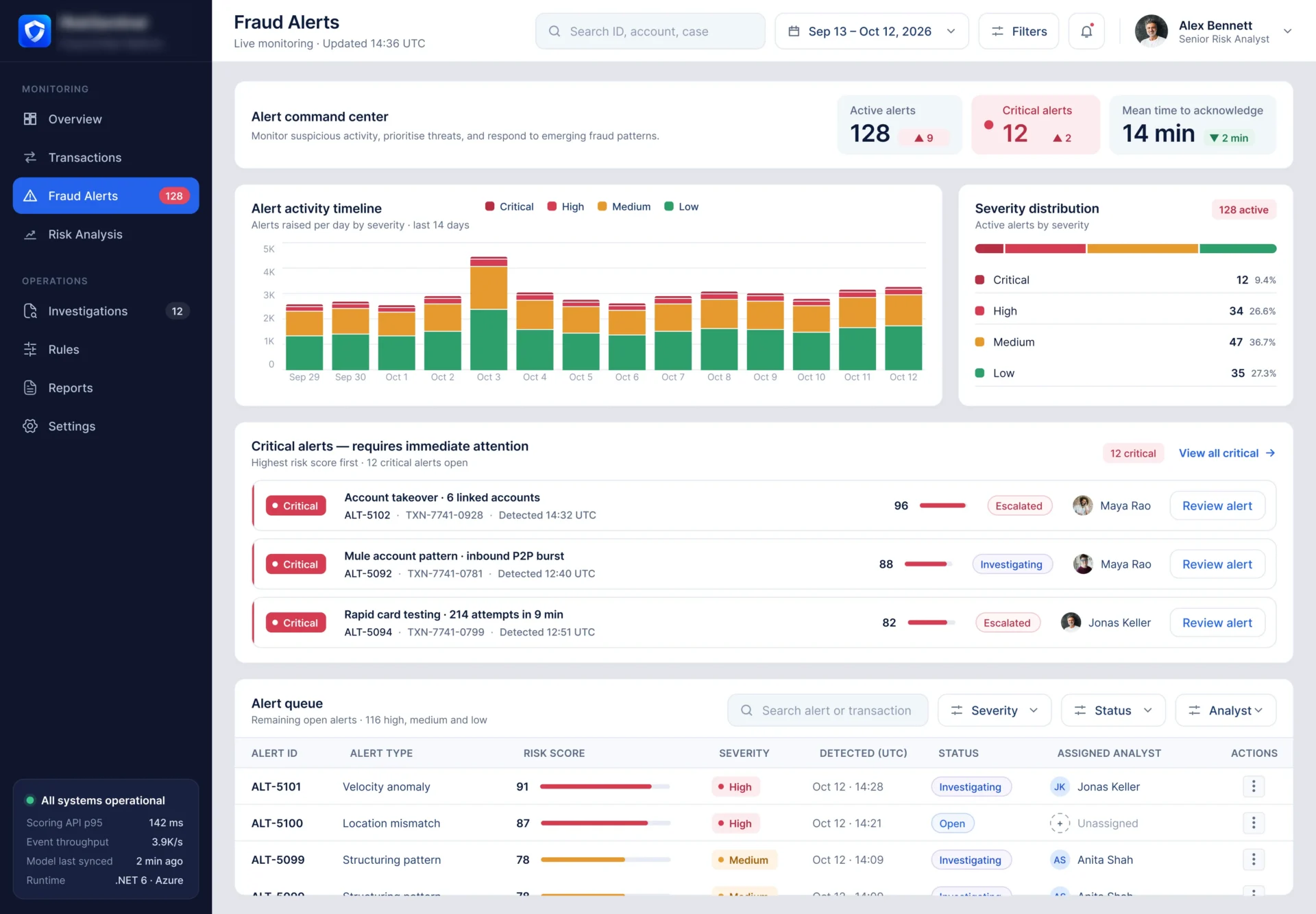
Rules Screen
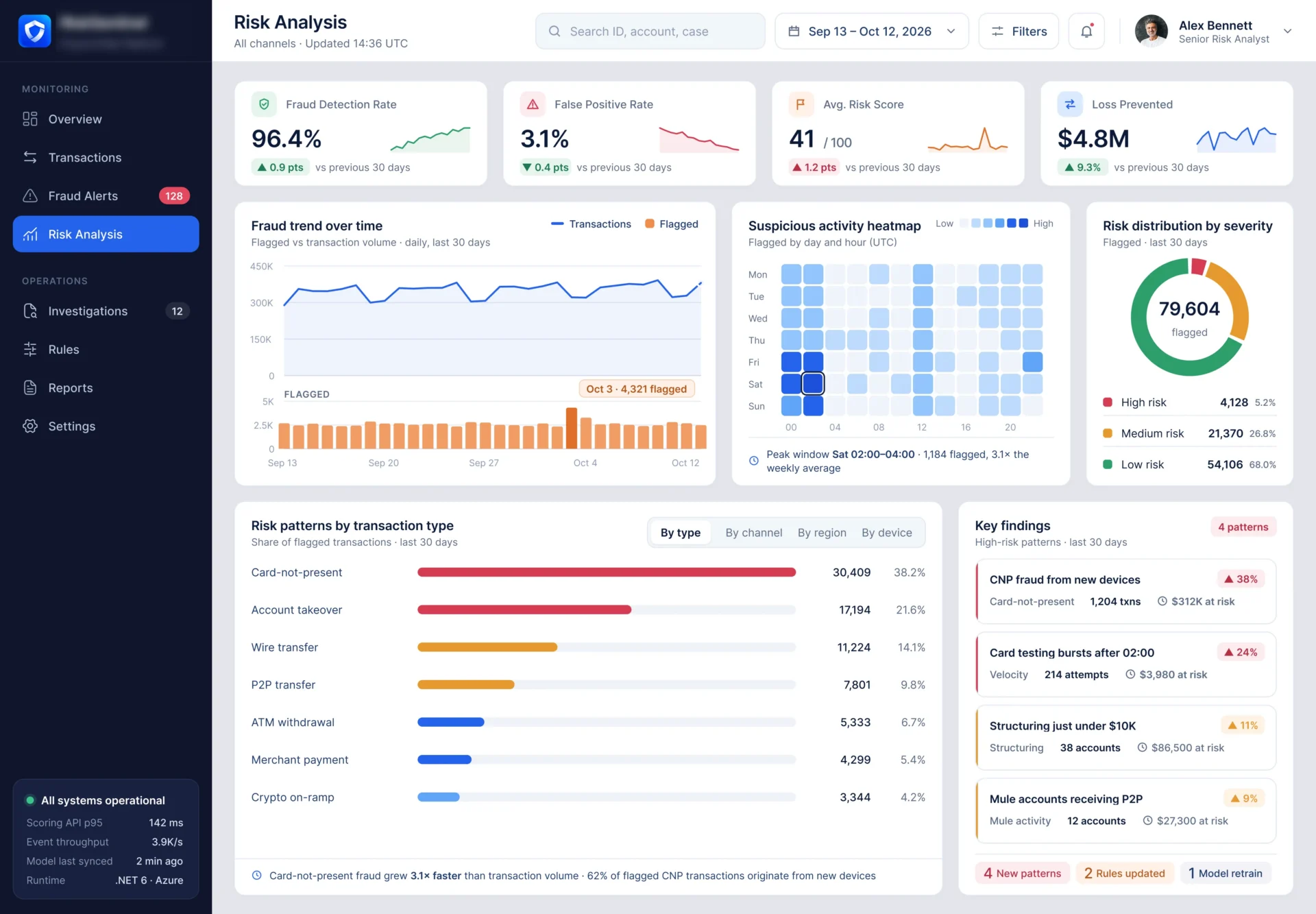
Fraud Alerts Screen
“DataByteWorks made the entire development journey seamless. Their team understood our requirements, provided thoughtful solutions, and maintained excellent communication throughout the project.”
One project at a time, the platform moved from desktop to web and Azure SQL
Before
Desktop modules
one user session at a time
MVC and API applications
.NET Framework 4.6, out of support
40+ class libraries
tightly interdependent
SQL Server 2008
no read replicas for analytics
Strangler Fig
24 months
one project
at a time
After
Web application
100 users, scaled to 10,000
MVC and API applications
.NET 6 across 60+ projects
Modernized libraries
updated packages, logging, DI
Azure SQL Database
read replicas, high availability
.NET Framework 4.6 and SQL Server 2008 to .NET 6 and Azure SQL
The old and new systems ran side by side. Project by project, the code moved onto .NET 6 and the desktop modules moved into the web application, while the parts not yet migrated kept serving users.
The database moved in two steps: an upgrade to SQL Server 2019, then a migration to Azure SQL. Azure SQL added read replicas, so real-time analytics and reports run on a copy of the data instead of slowing down the live system that scores transactions.
The whole codebase was on an unsupported framework. All 60+ projects moved from .NET Framework 4.6 to .NET 6, removing the platform’s exposure to an out-of-support framework.
Real-time analytics without slowing live scoring. Moving from SQL Server 2008 to Azure SQL gave the client read replicas, elastic scaling, automated high availability, and built-in security monitoring.
For more of our work as a fintech software development company on financial and analytics platforms, see the Mortgage Application Planner and Revenue Protection & Logistics Analytics Platform case studies.
Planning a similar modernization or looking to hire .NET developers? Book a 30-minute call.
.NET 6
.NET 6
C#
REST APIs
SQL Server 2019
Azure SQL Database
Azure monitoring and security tools
NuGet
It depends on the size of the codebase and how tightly its parts depend on each other. On this project, migrating 60+ projects, including 40+ interdependent class libraries, took 24 months. That timeline also covered the database move and the shift from desktop to web.
Yes. We used the Strangler Fig pattern, moving one project at a time while the rest of the platform kept running. Each piece was proven in use before the next one moved, so there was no single high-risk cutover.
An upgrade fixes support and security gaps. Azure SQL also adds read replicas, elastic scaling, and automated high availability, so analytics and reporting can run in real time without slowing down transaction scoring.
Yes, when you migrate rather than rebuild. We moved the existing code onto .NET 6 and refactored only what the new framework required, such as deprecated APIs, configuration, and dependency injection. The business logic the client had refined over 20+ years carried over intact, instead of being rewritten and re-tested from scratch.
We moved each desktop module into the web application, then opened it to users in stages. The web application launched for 100 users and scaled in phases to 10,000. A staged rollout lets the team watch performance at each step before adding more users.
It removes a major risk the client faced: running payment and personal data on .NET Framework 4.6 and SQL Server 2008, which no longer received security updates. Azure SQL also adds built-in security monitoring. Modernization alone doesn't make a platform compliant, but it gives the compliance team a modern, easier-to-audit foundation.